Tuesday, January 1, 2013

Measure Point cron task


We can create automatically Workorders from Condition Monitoring application using Cron tasks similar to PM workorders and reordering inventory items on a schedule.

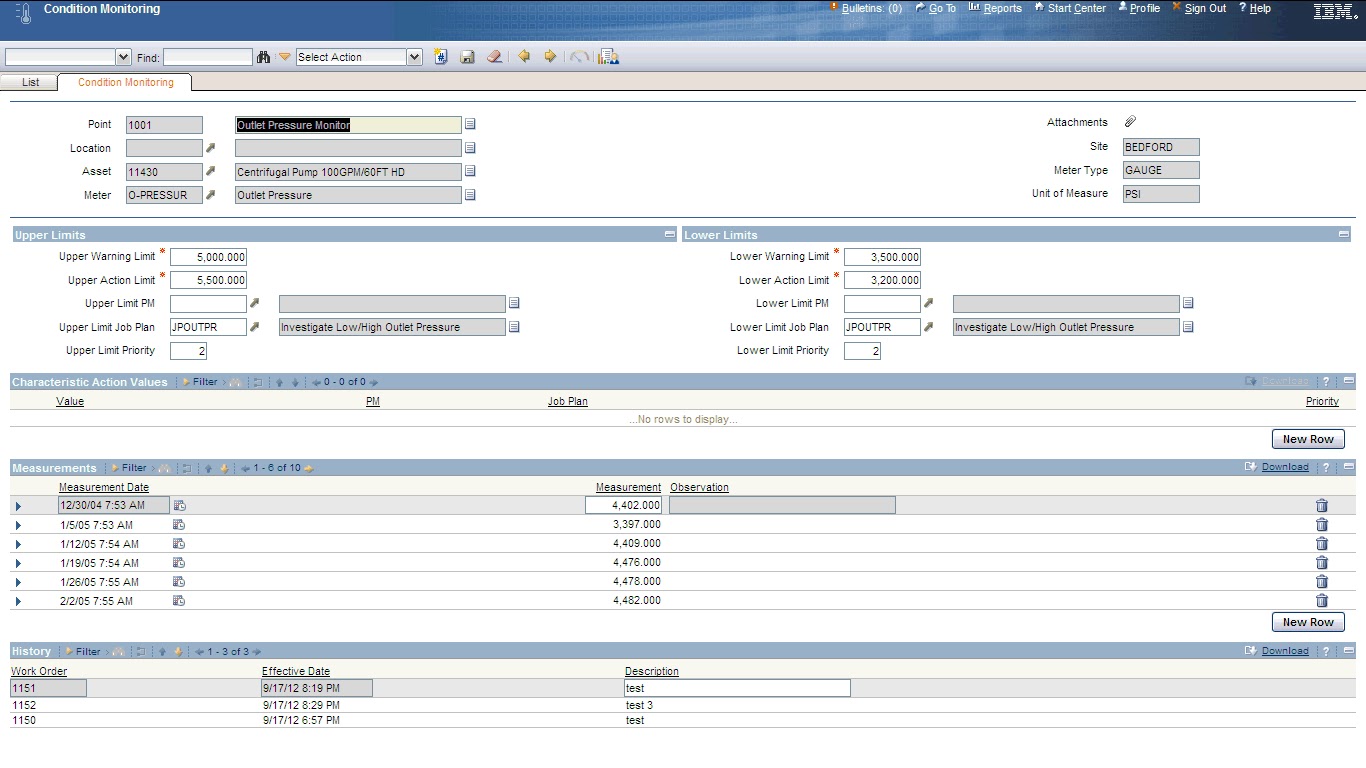
Condition Monitoring application is present in the Assets Module.
 It is used to define unlimited number of measurement points for assets, and specify alarm limits and associated work to be performed after reaching those limits. 
You can enter and view measurement point records to define acceptable meter readings for a characteristic or gauge type of meter on an asset or location. 


PM WOGEN cron task by Site


In almost all projects, we use automatic Work order generation from PM. 

In a system with multiple Organizations, there will be a need to generate automatic PM workorders for a specific sites like production plant, and other sites where work types of preventive maintenance is not applicable can create work orders manually.

This link explains a step by step approach of creating crontask instances for sites with Run as Users having access to these sites.

Pretty Print XML Option


Pretty Print is an option for XML to easily edit the XML field generated from the application.

End Point application [Go To --> Integration --> End Point] is used to set the Pretty Print XML option.


The MXXMLFILE end point has two properties: FILEDIR and PRETTYPRINT.
The PRETTYPRINT option default is 0 (false). By default, the XML is generated as one string, which is more efficient.


To facilitate editing the XML file by displaying it in order, set the option to true (1).


Maximo 7.1 Integration Framework Configuration Basics.pdf

Disable manual status change for records in WF

In some cases, we may require to restrict Users to change record status only through Work flow.

In the Work flow process design, there are some custom class actions OKSTATUS and NOSTATUS.

To block the manual status, include the NOSTATUS action in the workflow process design. This lock will be in effect until the opposite action OKSTATUS is called or the process stops.


Add a new line in mail use br tag instead of \n


In many cases, we may intend to email Users via from Maximo customization 
[MXServer.sendEMail(String to, String from, String subject, String message)].

While simple formatting the message body with StringBuilder, we usually start with \n new line character to add a new line as below:

StringBuilder strbuild = new StringBuilder("PO: ").append(ponum).append("\n").append(podescription).append("\n").append(poline).append("\n").append(polinedescription);

but we will find the mail message comes out as one line.

It is because, if the email format is HTML, new line characters will be ignored and we need to insert HTML line breaks <br />. For example:
StringBuilder strbuild = new StringBuilder("PO: ")).append(ponum).append("<br /> \n").append(podescription).append("<br /> \n").append(poline).append("<br /> \n").append(polinedescription);

In this, <br /> inserts new line and \n will be ignored.

Stopping multiple records in Workflow at Once:


Maximo 7.5 has a class file to stop Workflow on many records at one time. 

The StopWorkflowAction.class file is located in the \maximo\applications\maximo\businessobjects\classes\psdi\workflow folder.

To use it we first need to create an Action and then run it with an Escalation.

The Class file will change the Active Inbox Assignments to Assignstatus | Inactive| which will remove them from the Workflow Inbox and will add a transaction to WFTransaction table saying that the Workflow process was stopped.

REST API in Maximo


Customers have varying options on how they integrate other applications with their Maximo system.  Some common choices include SOAP-based web services and XML files.  The Integration Framework (i.e. MIF or MEA) provides a new option available, starting in Base Services 7.5.0.1, to customers to access Maximo data in a RESTful manner.

I came across interesting article on usage of REST API in Maximo 7.5.0.1 Sharing with you all, in case interested.

Here is a collection of useful resources to learn how to use REST API in Maximo.

https://www.ibm.com/developerworks/mydeveloperworks/blogs/a9ba1efe-b731-4317-9724-a181d6155e3a/entry/resting_with_maximo1?lang=en

http://pic.dhe.ibm.com/infocenter/tivihelp/v49r1/index.jsp?topic=%2Fcom.ibm.mbs.doc%2Fgp_intfrmwk%2Frest_api%2Fc_rest_overview.html

https://www.ibm.com/developerworks/mydeveloperworks/blogs/a9ba1efe-b731-4317-9724-a181d6155e3a/entry/using_rest_api_details2?lang=en